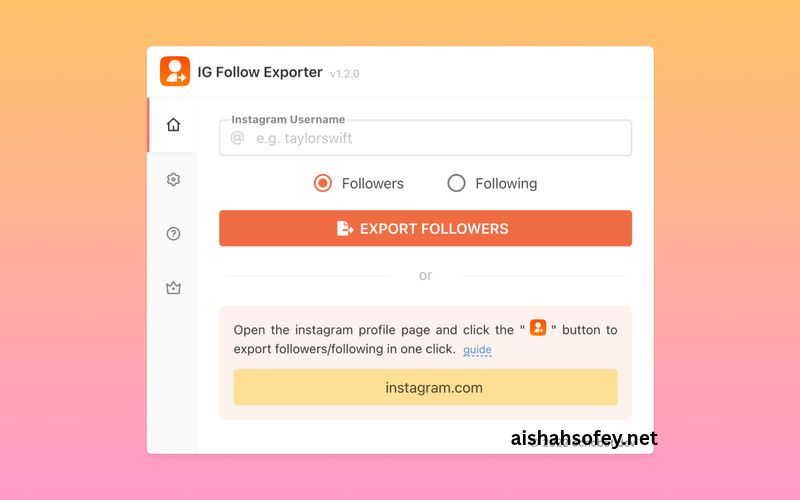
IG Follower Export Tool – Export Instagram Followers
You want your Instagram followers in a spreadsheet. You open the app and find a list you can scroll but not save, copy or sort. There is no download button for it, and that gap is exactly why people search for an ig follower export tool.
The trouble starts when you pick one. Many tools ask for your Instagram password, install a browser extension that acts as you, or charge credits for every few hundred rows. Any of those can put your account at risk, and few of them explain how the data is collected.
This guide shows a safer route. You will use the file Instagram itself gives you, then turn it into a clean spreadsheet with usernames, profile links and the date each person followed you. It needs no password, no extension and no paid plan.
Quick answer
An IG follower export tool turns your Instagram followers list into a spreadsheet file such as CSV or Excel. The safest method is Instagram’s own data download in JSON format, which you then open in Excel or Google Sheets. No password, extension or scraper is needed.
Key takeaways
- Instagram has no built-in button that saves your followers as a spreadsheet.
- The official data download is free and includes the date each follower joined.
- Extensions and scrapers need your login or cookies, and that is where the risk lives.
- Excel’s Power Query turns the official JSON file into rows in about two minutes.
- You can export your own followers and following lists, not a private account’s list.
What Is an IG Follower Export Tool?
Definition
An IG follower export tool is software or a method that saves the list of people who follow an Instagram account as a file you can open in Excel or Google Sheets. Most tools output CSV. The basic fields are the username and profile link, and some add the date each person followed.
Think of it as a translator. An ig follower export tool takes what Instagram holds as raw data and changes it into rows and columns you can sort, filter and keep.
People use an ig follower export tool for a few plain reasons. They want a backup before a risky change. They want to study their audience. Or they want a record they can compare next month to see who left.
Export tool, tracker and scraper: what is the difference?
- Export tool: saves a list as a file. It does not judge or act on the list.
- Tracker: compares lists over time to show who joined or left.
- Scraper: collects data automatically from Instagram pages, often at scale. It is the riskiest group.
If you also want to see who left, read our guide on how to see who unfollowed you on Instagram. It uses the same files you will create here.
How an IG Follower Export Tool Works
Quick answer
An IG follower export tool gets your follower data in one of three ways: from Instagram’s official data download, from a browser extension that reads the page while you are logged in, or from a cloud scraper that collects public data. The official file is the only method with no account risk.
1. Instagram’s official data download
Instagram lets you request a copy of your own data. You choose “Followers and following” and the JSON format. Instagram prepares a zip file, and inside it sit a followers file and a following file. Each entry holds a username, a link and a Unix timestamp.
That timestamp is the hidden gem. It is the moment the person followed you, and almost no extension shows it.
2. Browser extensions
An extension opens your followers dialog and scrolls it automatically while you stay logged in. It copies the names it sees. It can work, but it behaves like a bot inside your session. Heavy use can trigger rate limits or a temporary restriction, and a poorly built extension can read more than you intended.
3. Cloud scrapers
Cloud scrapers run on someone else’s servers. Some ask for cookies from your logged-in browser, and others claim to work without a login. They are often paid by credit, and you cannot see what happens to your data afterwards.
What Data Can You Export?
The official file is small and honest. It does not hold secrets, and a good ig follower export tool should not pretend otherwise. Here is what you can expect to end up with.
| Column | What it shows | Source |
|---|---|---|
| username | The account name | Official export |
| profile link | A link that opens the profile | Included in the file |
| date followed | The day the person followed you | Unix timestamp in the export |
What you will not get
- Email addresses or phone numbers. Instagram does not include them for followers.
- Bios, follower counts or post data for each follower.
- Anyone’s private details. A follower’s data is theirs.
Any tool that promises emails or phone numbers for your followers is either guessing or collecting data it should not touch.
IG Follower Export Tool Methods Compared
Here is how the three kinds of ig follower export tool stack up. We built this table from how each method works, not from paid rankings.
| Method | Login needed | Date followed | Account risk | Cost | Best for |
|---|---|---|---|---|---|
| Official export + spreadsheet | Only your own Instagram sign-in | Yes | None | Free | Your own followers and following |
| Browser extension | Yes | Usually no | Medium | Free tier, then paid | Quick copy of a visible list |
| Cloud scraper | Cookies or none | Usually no | Medium to high | Credits or monthly plan | Developers with a clear legal basis |
If you only need your own list, the first row wins on cost, safety and detail. The others only make sense when you need data that the official file cannot give you.
How to Use an IG Follower Export Tool: Step-by-Step User Guide
Quick answer
Request your followers data from Instagram in JSON format and wait for the download link. Unzip the file, then open followers_1.json in Excel with Power Query or import it into Google Sheets. Save the result as CSV. The process takes a few minutes plus Instagram’s waiting time.
Part 1: Request your data from Instagram
- 1
Open Instagram, go to your profile and open the menu, then Accounts Center.
- 2
Choose Your information and permissions, then Export your information.
- 3
Tap Create export, pick your profile and choose Export to device.
- 4
Select Customize information, and tick only Followers and following.
- 5
Set the date range to All time and the format to JSON, then start the export.
Menu names change from time to time. If a screen looks different, search Instagram’s Help Center for “download your information”.
Part 2: Download and unzip the file for your ig follower export tool
- 1
Wait for Instagram to tell you the export is ready. This can take from a few minutes to a day.
- 2
Open the link in the notification or email and download the zip file.
- 3
Unzip it. On Windows, right-click and choose Extract All. On a Mac, double-click it.
Which file do you need?
Inside the folder you will usually find connections/followers_and_following. It holds followers_1.json (and followers_2.json if your list is large) and following.json. These are the two files an ig follower export tool would work from.
How to Turn the File Into a Spreadsheet
JSON looks messy in a text editor, but Excel can read it. The easiest route for this ig follower export tool method is Power Query, which is built into modern Excel.
In Excel with Power Query
- 1
Open a blank workbook, then choose Data, Get Data, From File, From JSON.
- 2
Select
followers_1.json. The Power Query window opens and shows a list. - 3
Choose To Table, then click the expand icon (two arrows) on the column header and expand to rows.
- 4
Expand the
string_list_datacolumn to new rows, then expand again to gethref,valueandtimestamp. - 5
Choose Close & Load. Your followers appear as a table.
Button names vary a little between Excel versions, but the pattern is the same: turn the list into a table, then expand each nested column. For following.json, expand the relationships_following column first.
Make the timestamp readable
The timestamp is a Unix number, such as 1710000000. Add a new column next to it and use this formula, then format the cells as a date.
=C2/86400+DATE(1970,1,1)
Replace C2 with the cell that holds the timestamp. The same formula works in Google Sheets.
In Google Sheets
Sheets cannot read JSON directly. Do the Excel steps above, save the result as a CSV, then open Google Sheets and choose File, Import, Upload. If you prefer to skip Excel, pick HTML instead of JSON when you request the export, open the file in your browser and copy the table into a sheet.
Save it as CSV
Every good ig follower export tool ends with a CSV. In Excel, choose File, Save As and pick CSV UTF-8. That keeps special characters in usernames and bios safe.
How to Clean Your Exported Follower List
A raw list is useful, but a cleaned list is better. Whichever ig follower export tool you use, run through this short checklist.
- ✓
Sort by the date column to see when your audience grew fastest.
- ✓
Remove duplicates if you merged more than one file.
- ✓
Delete columns you do not need, such as empty title columns.
- ✓
Add a column called
notesfor anything you check by hand. - ✓
Freeze the top row so the headers stay visible on a long list.
- ✓
Save a copy with the export date in the file name, such as
followers-2026-11-16.csv.
Keeping dated copies matters. A single export is a snapshot. Several of them become a history you can compare.
What You Can Do With an Exported Follower List
Back up your audience
If an account is hacked or disabled, your list is gone with it. A CSV from an ig follower export tool is a free safety net on your own drive.
See when your audience grew
The date column from your ig follower export tool shows busy weeks. A pivot table can group followers by month. Match the spikes against your posts and campaigns.
Hypothetical example
Say a small bakery exports 2,400 followers and sorts by date. A cluster of 180 new followers appears in one week in June. The owner checks the calendar and finds a reel posted that week. The next step is simple: make more content like that reel.
Compare lists over time
Run your ig follower export tool again next month and compare the two files. The difference is the people who joined and the people who left. Our recent followers guide explains what to watch for between exports.
Check who does not follow you back
With both followers and following in your spreadsheet, a lookup formula shows which accounts you follow that do not follow you. Use that list as a prompt for a tidy-up, not as a rule.
Is Using an IG Follower Export Tool Safe?
Quick answer
It depends on the method. An ig follower export tool that reads Instagram’s official download is safe because you never share a password or run automation. Tools that need your login, cookies or a long automated scroll carry real risk of restrictions or stolen access.
Red flags
- It asks for your Instagram password.
- It asks you to paste a session cookie.
- It promises to bypass private accounts.
- It claims zero risk but explains no method.
- It teaches proxies to “avoid detection”.
Green flags
- It works from the official export file.
- It states where your data is processed.
- It never asks you to sign in to Instagram.
- It says clearly what it cannot do.
- It lets you download the result right away.
Privacy and Legal Basics
A follower list is personal data about other people. Treat it with care, even when it is your own audience.
- Instagram’s rules: Instagram’s terms restrict automated collection of data. Using your own official download stays inside what Instagram offers.
- Privacy laws: Rules such as GDPR in Europe and CCPA in California cover personal data. A username can count as personal data.
- Marketing use: Do not use a list to send unwanted messages. Spam can get your account restricted and may break local law.
- Storage: Keep exports in a private folder and delete old copies you no longer need.
This is general information, not legal advice. If you plan to use exported data for business outreach, check the rules in your country first.
How to Choose a Safe IG Follower Export Tool
Before you trust any ig follower export tool, ask these seven questions.
- 1
Where does it get the data? The official export is the safest answer.
- 2
Does it need my login? If yes, think twice.
- 3
Where is the file processed? On your own device is best.
- 4
What does it cost after the free tier? Look for hidden credits.
- 5
What fields does it return? A date followed is a good sign.
- 6
Does it explain its limits? Honest tools say what they cannot do.
- 7
Who runs it? A real site with a clear disclaimer beats an anonymous listing.
Can You Export Someone Else’s Followers?
Quick answer
Not with the official method. Instagram only gives you a download of your own account, and no honest method can open a private account’s list. Some extensions and scrapers collect a public account’s followers, but they need a login or cookies and may break Instagram’s terms.
If you manage a client account, there is a clean solution that works with any ig follower export tool. Ask the owner to request the export and send you the zip file. You then follow the same steps and nothing is scraped.
Troubleshooting Your IG Follower Export
I cannot find the export option in Instagram
Menu names change. Search Instagram’s Help Center for “download your information”, or look under Accounts Center, then Your information and permissions.
The followers file is missing
You probably exported something other than followers and following, or you chose HTML. Request a new export with only Followers and following, and pick JSON.
The list is shorter than my follower count
The export reflects the moment it was created. New followers after that time will not appear. Deactivated accounts can also drop out of the file.
The dates look wrong
Unix timestamps count from 1970 in UTC, so a follow late at night in your time zone can appear on the next day. Add or subtract your offset in the spreadsheet if you need local time.
Instagram is slow to send the file
Preparing an export can take from a few minutes to a day. Keep your notifications on, and check your email for the link.
Frequently Asked Questions About IG Follower Export Tools
What is an IG follower export tool?
It is a tool or method that saves your Instagram followers list as a spreadsheet file, usually CSV. The safest one uses the official data download from Instagram, so you never share a password.
How do I export my Instagram followers to Excel?
Request your data from Accounts Center, choose Followers and following in JSON format, and download the zip. Then open followers_1.json in Excel with Data, Get Data, From File, From JSON, expand the columns and load the table.
Can I export Instagram followers without logging in?
Not entirely. You sign in to Instagram once to request your own data download. After that, you convert the file in Excel or Google Sheets with no login, no password and no cookies shared with any third party.
Does an IG follower export tool include the date someone followed me?
The official Instagram export does, as a Unix timestamp that you can turn into a date with a simple formula. Most browser extensions skip this field, so the official file is the best source.
Is it safe to use an Instagram follower exporter?
It is safe when the method uses the official export and never asks for your password or cookies. Extensions and scrapers that log in as you can trigger rate limits or restrictions, so treat them with caution.
Can I export followers from a private account?
No. A private account’s followers cannot be exported by an honest tool. Only the account owner can download that list from Instagram, and any service that claims to bypass privacy settings should be avoided.
Can I export another person’s Instagram followers?
Not with the official method. Instagram only provides a download for your own account. You can ask the owner of an account you manage to send you their export file, and then follow the same steps.
Is exporting Instagram followers legal?
Exporting your own data is allowed through Instagram’s official download. Using other people’s data for marketing may fall under privacy laws such as GDPR or CCPA, so check your local rules. This is general information, not legal advice.
Why is my exported list shorter than my follower count?
The export is a snapshot from the moment it was created, so newer followers are missing. Deactivated or removed accounts can also drop out. Request a fresh export when you need an up-to-date list.
How often should I export my Instagram followers?
Once a month is enough for most people. Keep each file with its date in the name, so you can compare exports later and see who joined or left.
Final Thoughts
You do not need to hand your password to a stranger to save your followers. The official download gives you the data, and a spreadsheet turns it into something you can use today. That is the safest ig follower export tool you can pick.
Request your file, keep a dated copy and repeat the process next month. For more practical guides, visit the blog.
Want to see who left?
Use two exports to find who joined and who unfollowed you, without sharing a password.
This website is not affiliated with, endorsed by or sponsored by Instagram or Meta. Instagram is a trademark of its owner. Menus and features change, so check Instagram’s Help Center if a screen looks different. The information here is general and is not legal advice.